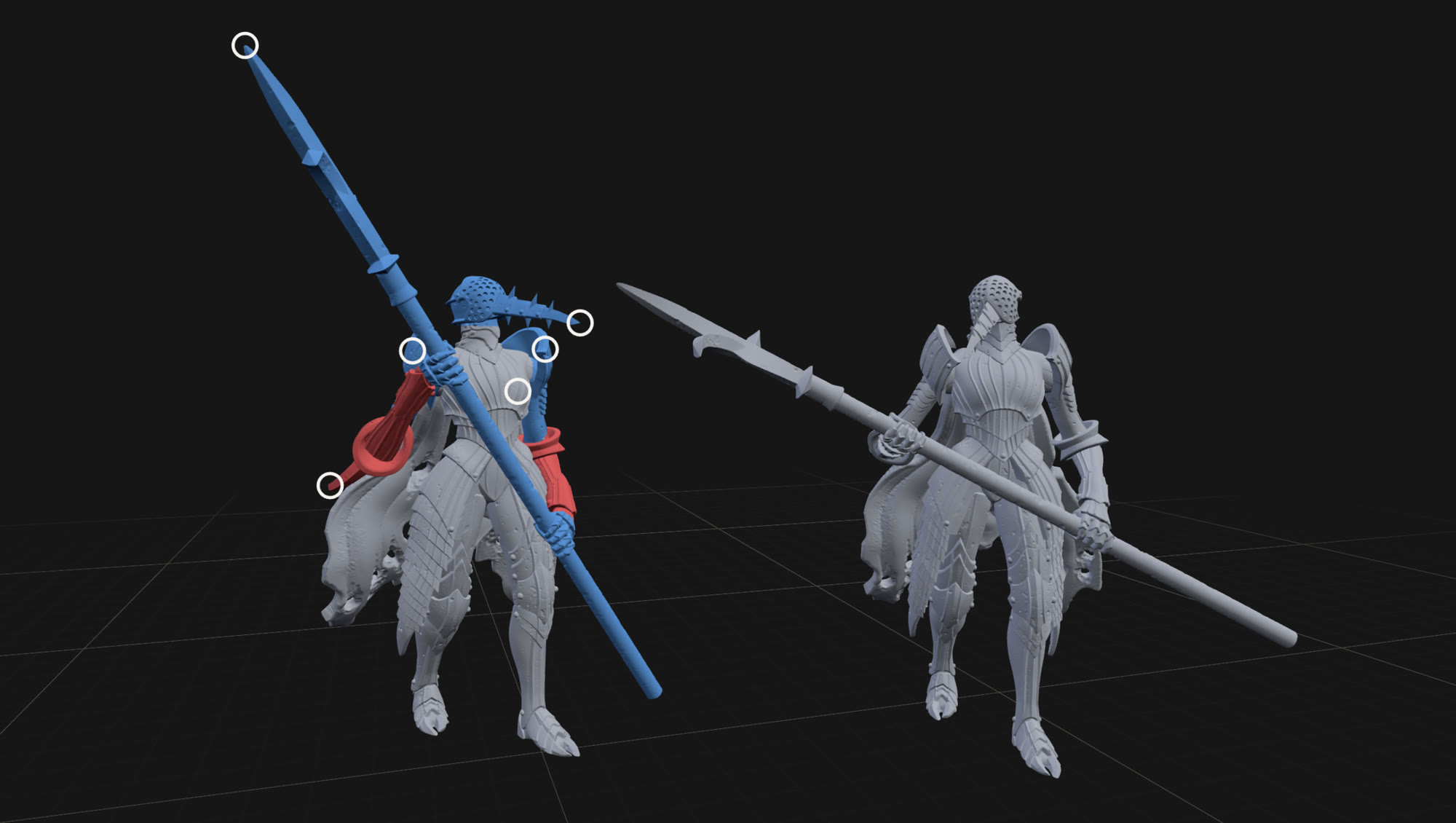
The usual way: cut, rotate, rebuild
Most guides send you to Blender or Meshmixer. The steps look like this:
- Import the STL and clean the mesh.
- Separate the limb you want to move into its own object.
- Move its pivot to the joint: the shoulder, the elbow, the wrist.
- Rotate the part.
- Rebuild the joint: fill the gap with sculpting, a boolean union or a remesh. Most of the time
- Check the model is watertight, then export it again. Most of the time
It works, but the last two steps are where the evening goes. Bending a solid STL directly tends to stretch the surface or leave it paper-thin at the joint, so you end up sculpting the elbow back by hand.
The short way: bend it at a joint in Minibased
Minibased is a kitbash studio that runs in your browser. Your files stay on your computer and are never uploaded.
- Open your miniature. Minibased reads STL, OBJ, PLY and 3MF.
- Place a joint. Hover the limb where it should bend. An orange ring appears around it: click to place the joint at the elbow, the wrist, the neck or the knee.
- Turn the part. Drag the white handle, or turn around one axis with the gizmo. Only the part past the joint moves; the surface follows and the seam stays clean.
- Add as many joints as the pose needs. Place another ring at the shoulder, the wrist, the neck, the knee. Each ring is its own joint, so the whole figure can take a new pose: raise the weapon, turn the head, bend both arms.
- Adjust or undo. Every joint stays listed in the panel, ready to change or delete. Ctrl+Z undoes a move.
- Export. Download the posed mini as STL, OBJ, PLY or 3MF for your slicer.
Tips for a printable pose
- Bend at a real joint. Elbows, knees and wrists look natural. Bending in the middle of a bone or a weapon does not.
- Watch thin parts. A wrist or an ankle that gets thinner after a bend may break on the print. Keep fine details clear of the joint.
- Look before you print. Turn the camera around the joint and check it from every side.
Common questions
Can I bend more than one joint?
Yes. Place a ring at every joint you want to move. Each one turns on its own, and every joint stays listed in the panel, so you can change it later.
Do I need Blender to repose a miniature?
No. Blender works, but Minibased bends a limb at a joint in the browser, without rigging and without rebuilding the joint by hand.
Does Minibased upload my STL?
No. Files are read and edited on your computer, then download straight back.
Is it free?
Pose is included in the free account. Supports and Autokit are part of the Patreon tier.